
Three photos in, one 3D head out: where the time goes
We timed every step of a single face build, from upload to finished GLB. Here is the map, and what it taught us.
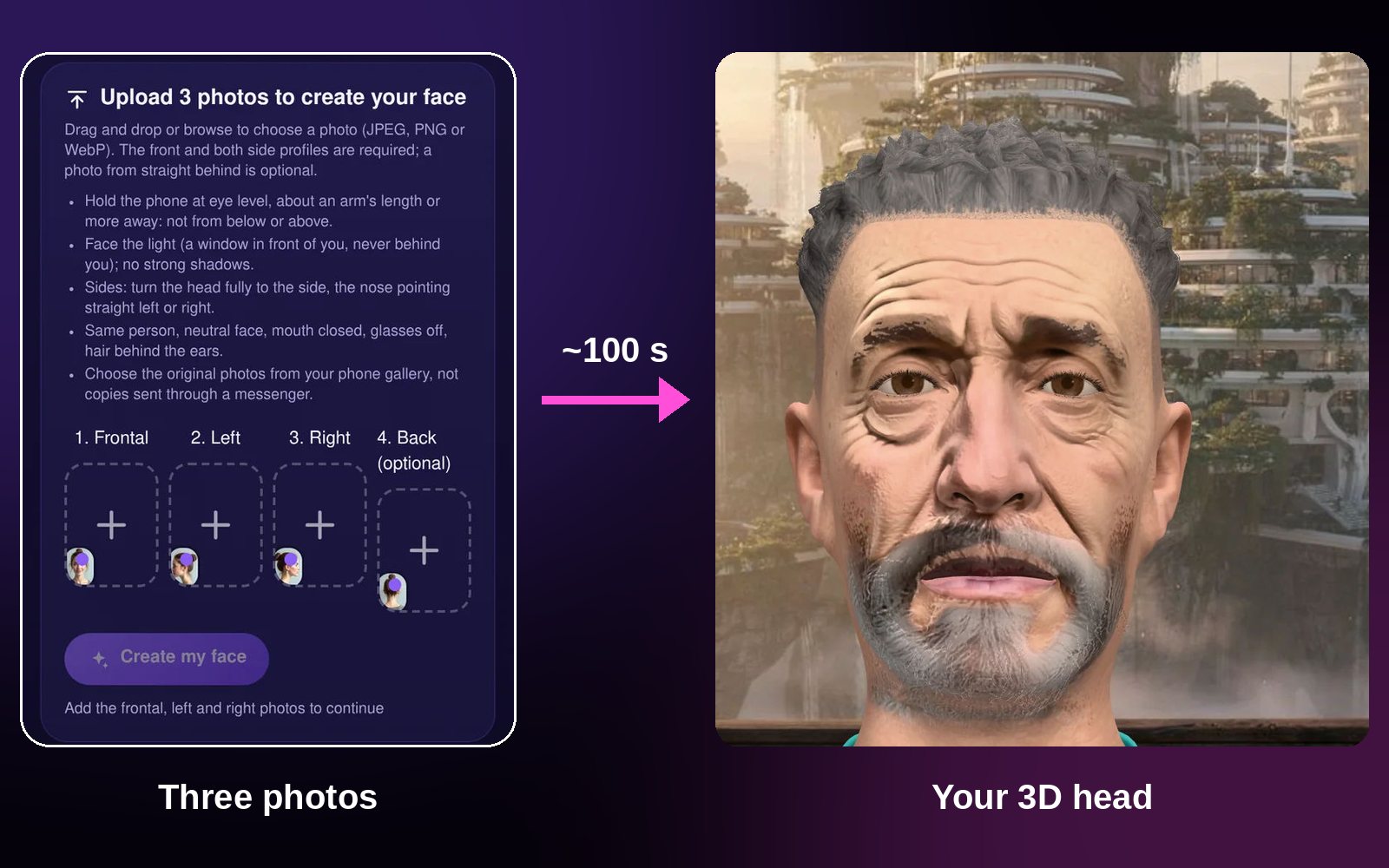
When you make a Zumti Avatar, you upload three photos and wait. Behind that wait is a long chain of steps: checking the photos, building the shape of your head, finding your ears, painting your skin, testing the result, and packing it into a game-ready file.
To make that wait shorter, we first had to know exactly where the time goes. So we took one real face build, turned on a profiler, and timed all 48 steps, from the moment the photos leave the server to the moment the finished avatar comes back.
The journey of one face
From three photos to a 3D head, in order
Where the time went
The profiled run took 365.6 seconds end to end. That is much longer than a normal build: profiling adds overhead, and this run also had an experimental texture pass switched on. That makes it a perfect diagnostic run, because every possible step shows up.
One profiled face build, grouped (365.6 s in total)
Four things the map told us
1. Two thirds of the time is one program
65% of the whole run, about 239 seconds, happened inside a single Python process: the one that actually builds the 3D head. Servers, uploads and machine start-up are a small part of the story. If we want a big speed-up, it has to come from inside the head build.
2. Quality gates sometimes throw work away, on purpose
The experimental texture pass ran for 76 seconds, then failed its checks: the colour difference between the photos and the filled-in areas was 2.54, just over the limit of 2.5, and it covered too little of the center of the face. So the system dropped it and used the proven texture instead.
We would rather throw away 76 seconds of work than give someone a blotchy face. But a step that often fails should not run at all, so that experimental pass was switched off the same evening.
3. The heavy steps are ordinary math, not AI
The steps people usually think of as slow, the neural networks, are only part of it. A lot of time goes into plain number crunching on big arrays: blurring and blending a 2048 × 2048 texture with 3.6 million texels, solving large sparse systems to smooth skin tone, and measuring 16 quality gates on the finished map. That kind of work is a good fit for a faster language, and it is where we are moving code to Rust next.
4. The cloud has moods
Just getting a machine took 23.1 seconds in this run, and 11.9 seconds for the same photos an hour earlier. The difference was entirely on the cloud side. On another day, the same job finished in 102.9 seconds on one processor generation and 245.6 seconds on another: 2.4 times apart. Any single timing is a sample, not the truth, so we compare runs on the same machine type before we trust a speed-up.
The building blocks
For the curious, these are the main libraries doing the work in a face build:
| Library | What we use it for |
|---|---|
| MediaPipe | Finding faces and the 478 face points; separating hair, skin and clothes |
| OpenCV | Image work: colour spaces, blurs, warping photos onto the head |
| NumPy and SciPy | The math: fitting the head model, sparse solvers, smoothing |
| ONNX Runtime | A model that reads surface direction (normals) from photos |
| PyTorch | Small networks of our own for ears and beards |
| glTF-Transform and sharp | Building, compressing and packing the final GLB file |
What changed after the map
- A 7.4-second check is gone. Every build used to verify its Python packages first. The packages are fixed inside the image, so that check now happens once, when the image is built.
- The experimental texture pass is off until it passes its gates reliably.
- The slowest single tool is being replaced. Finding ears in the side photos was the biggest item in production runs. That story has its own post: why we are replacing a giant segmentation model with a tiny one.
A normal production build today takes around 100 seconds. Our next goal is a third of that. The map tells us that no single trick gets us there; it will be a handful of steps, each made a few times faster.
Try it yourself. Make your own 3D avatar from three photos at avatar.zumti.com, or talk to us about avatars in your app or game.